LED TV No Picture But Sound? The Complete Fix Guide (2026)
Quick Answer: If your LED TV No Picture But Sound, the most common reasons are a failed backlight, a loose cable, or a misconfigured input source. Start by unplugging your TV for 60 full seconds, then plug it back in. If the TV black screen persists, use the flashlight test (Step 6 below) to confirm whether the backlight has failed. This guide walks you through every fix — from the simplest 30-second checks to advanced DIY board replacements.
You sit down to watch TV, press the power button, and hear the sound perfectly — but the screen is completely black. A TV with sound but no picture is one of the most frustrating experiences for any TV owner. The good news? In most cases, you do not need to buy a new television or even call a repair technician right away.
This guide covers every possible reason your LED TV has no picture but sound is working fine, and gives you clear, step-by-step fixes anyone can follow — even if you have never opened a TV before. Whether you own a Samsung, LG, Sony, or any other brand, this guide has you covered.
LED TV Black Screen Fix — Watch Before You Start
Step 1: Identify Your Exact Symptom First
| What Is Your TV Doing? | Most Likely Cause | Go To Fix |
|---|---|---|
| Sound works, screen is completely black | Backlight failure | Fix 6, Fix 10, Fix 9 |
| TV does not turn on at all (no LED) | Dead power supply board | Fix 9 |
| Menu appears but no channel/device picture | Wrong input or cable fault | Fix 3, Fix 5 |
| Screen flickers or goes black randomly | Loose cable or failing backlight | Fix 2, Fix 10 |
| Only half the screen works | T-Con board failure | Fix 11 |
| Screen went black after a software update | Firmware crash | Fix 7, Fix 8 |
| Black screen appears after sitting idle | Sleep timer or Presence Sensor active | Fix 4 |

Why Does an LED TV Have Sound But No Picture? (10 Root Causes)
When your LED TV screen has no picture but audio plays normally, it tells us something important: the TV’s brain (main processor) is working fine. The problem is specifically in the display pipeline. Here are all the reasons this happens:
1. Failed LED Backlight Strips — The #1 Cause
An LED TV does not create its own light. Behind the screen, there is a row (or grid) of LED strips that light up the display. When these LED backlight strips fail, the screen goes completely dark even though the TV is fully on. This is by far the most common reason for LED TV no picture but sound OK — and it is fixable without replacing the whole TV.
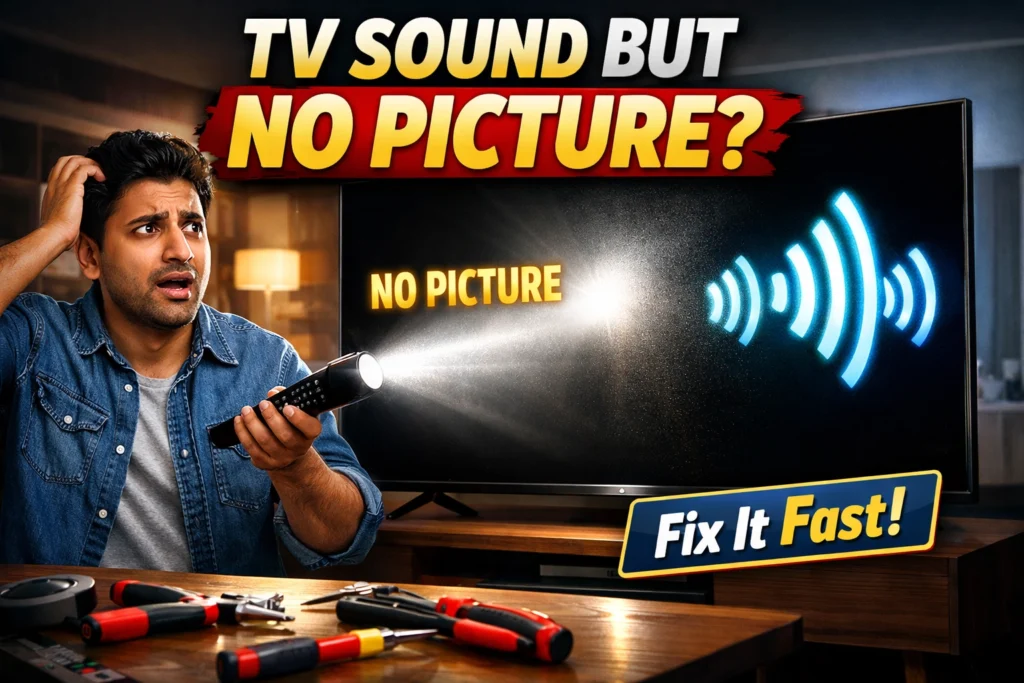
The Flashlight Test: Turn your TV on, take your phone torch into a dark room, and shine it directly at the screen at a slight angle. If you can see a faint image in the lit area, the backlight has failed but everything else is working. This is the most reliable led tv fault diagnosis you can do at home.
2. Power Supply Board Failure
The power supply board converts mains electricity into the voltages your TV needs. When it fails partially, the TV may power on and produce sound — but cannot generate enough voltage to drive the backlight or panel. You may notice a burnt smell, or see bulging capacitors (small cylinders that look slightly swollen at the top) on the board. This is a common led tv display problem that causes a completely blank display.
3. T-Con Board Failure
The T-Con (Timing Control) board sits between the main board and the screen panel. It controls how image data is sent to the display. When it fails, you often see horizontal or vertical lines across the screen, only half the tv screen picture working, or the entire screen going black. This is the second most common cause of led television screen problems.
4. Main Board (Motherboard) Failure
The main board is the TV’s central processor. If it fails, the TV may produce sound through a separate audio path but cannot send a video signal to the screen. This causes a tv display not working situation. Sometimes the TV also reboots randomly or freezes. This is a more expensive fix.
5. Damaged LCD or OLED Panel
If the flashlight test shows absolutely nothing — not even a faint image — the screen panel itself may be physically damaged. A tv display broken or dead lcd black screen panel is the most expensive diagnosis. In most cases, panel replacement costs more than buying a new TV of the same size.
6. Loose or Faulty Cable Connections
A loose HDMI cable, a bent coaxial pin, or a damaged AV cable can all cause TV with sound but no picture. The TV processes audio before video in many designs, so a connection issue can kill the picture while leaving sound intact. This is the easiest fix of all — always check this first.
7. Wrong Input Source Selected
This is surprisingly common. Your TV is set to HDMI 1, but your device is plugged into HDMI 2. Or the TV is in AV mode with nothing connected. The result looks like a serious tv screen not working problem, but the fix takes five seconds. Always rule this out before anything else.
8. Sleep Timer, Power Saver, or Presence Sensor Activated
Modern smart TVs include features that automatically turn the screen off to save energy. Sony’s Presence Sensor detects when no one is in the room and blanks the display. Samsung’s Eco Sensor does the same. Sleep timers can also shut the screen off after a set period. If your tv screen is not working intermittently — especially when you leave the room and come back — this is almost certainly the cause.
9. Firmware or Software Crash
Smart TVs run an operating system just like a phone. A failed update, corrupted OS file, or software conflict can cause the TV to boot up with sound but no picture on TV. The screen either stays black after boot, or freezes and goes blank. This is entirely a software problem and usually resolves with a factory reset.
10. HDCP Handshake Failure
HDCP (High-bandwidth Digital Content Protection) is a copy-protection protocol between your TV and devices like streaming sticks, game consoles, and laptops. When this handshake fails, the TV intentionally blocks the picture as a copy-protection response — but audio continues playing. You get tv no picture only sound with a fully functioning TV. This is a modern cause that most TV repair articles miss entirely.
How to Fix an LED TV That Has Sound But No Picture — 11 Steps
Follow these fixes in order. Start with Fix 1 (free, takes 2 minutes) and work your way down. Most TV Black Screen Fix situations resolve within the first five steps.
Fix 1: Power Cycle the TV — Always Start Here
A power cycle clears temporary software glitches that cause led tv no picture but sound 0k. This is not the same as turning the TV off with the remote. It is a full discharge of the TV’s internal capacitors.
- Turn the TV off using the physical power button on the TV itself — not the remote.
- Unplug the power cord from the wall socket completely.
- Wait 60 full seconds. Do not rush this — 10 seconds is not enough.
- While the TV is unplugged, press and hold the physical power button on the TV for 10 seconds. This drains residual charge.
- Plug the power cord back in and turn the TV on.
Why This Works: The 60-second wait allows all capacitors inside the TV to fully discharge, which clears any frozen state in the processor or video circuit that was causing the black screen.
Fix 2: Check and Reseat All Cable Connections
Before assuming hardware failure, physically inspect every cable connected to your TV. A loose connection is responsible for a surprisingly large number of led tv repair sound but no picture calls to technicians.
- Unplug every cable from the back of the TV — HDMI, coaxial, AV, optical audio.
- Inspect each cable for visible damage: bent pins, frayed insulation, or a broken locking tab.
- Blow gently into each port to clear any dust.
- Reconnect each cable firmly — HDMI cables should click into place.
- Check the device end of the cable too (your cable box, streaming stick, or game console).
Fix 3: Select the Correct Input Source
This resolves TV Has Sound But No Picture in many cases. Press the Source or Input button on your remote and cycle through every available input.
- Press the Source, Input, or Home button on your remote.
- Select the input that matches where your cable is plugged in — HDMI 1, HDMI 2, AV, etc.
- Try every input one by one until the picture appears.
- If no input shows a picture, the source device or TV itself is the issue — continue to Fix 4.
Fix 4: Disable Power Saver, Sleep Timer, and Presence Sensor
If your tv screen is not working randomly or after sitting idle, one of these energy-saving features is almost certainly the cause.
- Navigate to: Settings > General or System > Power or Eco Settings.
- Turn off Power Saver Mode or Energy Saving mode.
- Set Sleep Timer to Off.
- Samsung TVs: Settings > General > Eco Solution > Eco Sensor > Off.
- Sony TVs: Settings > Watching TV > Eco > Presence Sensor > Disabled.
LG TVs: Settings > All Settings > General > OLED Care > Energy Saving > Off
Fix 5: Replace the HDMI Cable and Try a Different Port
Cheap or old HDMI cables fail more often than people expect. When they do, they often cause led tv sound but no picture how to fix situations — audio passes through but video does not.
- Buy a new HDMI 2.0 cable — avoid very cheap no-brand cables.
- Try the new cable in a different HDMI port on your TV.
- Connect a completely different device (a laptop, phone, or another streaming device) to rule out the TV.
- If HDMI works but your original device does not, the device — not the TV — is the problem.
Fix 6: The Flashlight Backlight Test — Diagnose in 30 Seconds
This is the most important diagnostic step for LED TV Screen has no picture & light but Backlight ok situations. It tells you instantly whether the TV panel and electronics are fine, or whether the backlight has physically failed.
- Turn the TV on and let it run for 30 seconds.
- Go into a dark room, or wait until night.
- Take a bright torch (your phone flashlight works well).
- Hold the torch 2–3 cm from the screen at a 45-degree angle.
- Look very carefully: can you see any faint image or text on the screen?
What the Result Means: If you can see a faint image — the TV panel, main board, and T-Con are all working fine. Only the backlight has failed. Proceed to Fix 10 (backlight replacement). If you cannot see anything at all, the problem is deeper — likely the panel or main board.
Fix 7: Update or Reinstall the TV Firmware
If the tv black screen appeared after a software update — or if you have a smart TV that randomly stopped showing a picture — a firmware update or reinstall can fix it.
- Samsung: Settings > Support > Software Update > Update Now.
- LG: Settings > All Settings > General > About This TV > Check for Updates.
- Sony: Settings > Device Preferences > About > System Update.
- If the menu is visible, check for updates first. If an update failed, download the firmware via USB from the manufacturer’s official website and install it manually.
Fix 8: Factory Reset — With or Without a Visible Menu
A factory reset wipes software glitches that cause lcd tv black screen after updates or crashes. There are two methods depending on whether you can see the menu.
If the menu is visible on screen:
- Samsung: Settings > General > Reset > Enter PIN (default: 0000).
- LG: Settings > All Settings > General > Reset to Initial Settings.
- Sony: Settings > Device Preferences > Reset.
- Mi/Xiaomi: Settings > Device Preferences > Reset.
If the screen is completely black (Blind Reset Method):
Some TVs support a hardware reset using a button combination while the TV is powering on. Check your TV’s user manual or the manufacturer’s support website for the exact combination for your model. For example, many Samsung TVs can be reset by pressing the physical Menu button and then navigating using the physical channel buttons.
Important: A factory reset will erase all your settings, installed apps, and signed-in accounts. Only use this after trying all other software fixes.
Fix 9: Replace the Power Supply Board (DIY)
If the flashlight test shows no image and you suspect the power supply, this is a cost-effective DIY fix. A tv not working due to a failed power board can be repaired for a fraction of the cost of a new TV.
- Find your TV’s model number on the sticker on the back of the TV.
- Search for a replacement power supply board using the model number on Amazon or a local electronics market.
- Unplug the TV and wait at least one hour before opening (capacitors store dangerous charge).
- Remove the back panel using a Phillips screwdriver — all screws are usually the same size.
- Take a photo of all cable connections before disconnecting anything.
- Disconnect the cable harnesses from the old board and connect them to the new board in the same positions.
- Reassemble and test.
Cost Estimate: Power supply boards typically cost between $8 and $35 USD (or Rs. 500–2,500 in India) depending on brand and model. This is far cheaper than professional repair or a new TV.
Fix 10: Replace the LED Backlight Strips
If the flashlight test confirmed backlight failure, replacing the LED strips is the correct fix. This is the most common repair for LED TV no picture but sound repair and is very achievable for a careful DIY repair.
- Search YouTube for ‘[your TV model number] backlight replacement’ — there are usually exact tutorials.
- Order the correct LED strip kit for your TV model. These are model-specific.
- Lay the TV face-down on a soft, clean surface — a blanket or foam mat works well.
- Remove all rear panel screws and carefully separate the back cover.
- Disconnect the panel ribbon cables carefully — these are fragile.
- Lift out the diffuser sheets and light guide panel to expose the LED strips.
- Peel off the old LED strips (they are usually adhesive-backed).
- Stick the new strips in the same positions, connect the wiring, and reassemble.
- Power on and test before fully closing the back panel.
Pro Tip: Never touch the diffuser sheets with bare hands — fingerprints create permanent dark spots on the screen. Use clean cotton gloves or handle only by the edges.
Fix 11: Replace the T-Con Board
If you see horizontal lines, vertical bands, only half the tv screen picture working, or a lcd black screen with the rest of the TV functioning normally, the T-Con board is the likely culprit. Replacement is similar to the power board process.
- The T-Con board is usually attached directly to the back of the screen panel — it has two flat ribbon cables connected to it.
- Match your TV model number to find the correct T-Con board replacement online.
- Disconnect the two ribbon cables, unscrew the board, install the new one, and reconnect.
- Cost: typically $10–$40 USD. Much cheaper than replacing the panel.
Brand-Specific Fixes: Samsung, LG, Sony, and More
Samsung TV — LED TV No Picture But Sound Repair
For LED TV no picture but sound repair Samsung issues, there are several Samsung-specific causes and fixes:
- One Connect Box: QLED and Frame TV models use an external One Connect Box. Check that the One Connect cable is firmly seated at both the TV and the box — a loose connection here causes a complete black screen.
- Blink Code Diagnosis: Count how many times the Samsung power LED blinks. Samsung publishes blink code charts in their support documentation — each pattern indicates a specific board failure.
- Eco Sensor: Settings > General > Eco Solution > Eco Sensor > Off. This sensor dims and eventually kills the screen in low-light conditions.
- Factory Reset via Remote: Settings > General > Reset > PIN 0000 (default).
LG TV — LED TV No Picture But Sound Repair
Common fixes for LED TV no picture but sound repair LG TV situations:
- Energy Saving Mode: LG’s Energy Saving mode can blank the screen automatically. Go to Settings > All Settings > General > OLED Care > Device Self Care > Energy Saving > Off.
- webOS Factory Reset: Settings > All Settings > General > Reset to Initial Settings.
- OLED Burn Check: For OLED models, use the flashlight test. A completely dead panel with no image at all (not even faintly) may indicate burn-in damage in severe cases.
LG Service Menu: Press Mute+Mute+Mute+OK or Info+Settings+OK+Power on the remote (model specific) to access service diagnostic mode.
Sony TV — LED TV No Picture But Sound Repair
For LED TV no picture but sound repair Sony issues, these are the most important steps:
- Presence Sensor (most common Sony-specific cause): Sony Bravia TVs have a built-in sensor that detects whether someone is sitting in front of the TV. If it thinks the room is empty, it blanks the screen. Go to Settings > Watching TV > Eco > Presence Sensor > Disabled.
- Blink Code: Sony Bravia TVs blink the LED a specific number of times to indicate which board has failed. Count the blinks, then check the blink code chart in your TV’s user manual or Sony’s support website.
- Safe Mode (Android TV / Google TV models): Hold the power button on the TV itself during startup to boot into safe mode. If the picture appears in safe mode, a third-party app is causing the crash.
- HDMI Signal Format: Settings > External Inputs > HDMI Signal Format > try switching between Standard and Enhanced.
Mi, Xiaomi, and OnePlus TVs — Common Issues
These Android-based TVs have their own quirks when it comes to led tv sound but no picture how to fix:
- Mi TV: Go to Settings > Device Preferences > Reset. Also sign out of your Mi Account and sign back in — account sync issues can sometimes cause display failures.
- OnePlus TV: Try the physical button combination factory reset described in the user manual, as the remote-based reset requires a visible menu.
- Voltage Fluctuation Protection: In regions with unstable power supply, use a quality voltage stabilizer — sudden voltage spikes are a major cause of power board failure in these budget TVs.
Android System Update: Sometimes updating the Android System from the Play Store (Home > Apps > Play Store > My Apps) fixes display crashes.
Repair Cost Guide: Fix It Yourself vs. Call a Technician
Before spending money on professional repair, it helps to know what each led tv display problem actually costs to fix. Here is a realistic Repair Cost breakdown:
| Problem | Part Cost (INR) | Labor Cost | DIY Possible? | Worth Repairing? |
|---|---|---|---|---|
| LED Backlight Strips | Start From ₹1800/- | ₹150/- | Yes (but to Replace) | Yes |
| Power Supply Board | Start From ₹1500/- | ₹150/- | Yes (but to Replace) | Yes |
| T-Con Board | Start From ₹3000/- | ₹150/- | Yes (but to Replace) | Yes |
| Main Board | Start From ₹3500/- | ₹150/- | No (expert needed) | Depends on TV age |
| LCD / OLED Panel | Start From ₹6000/- | ₹150/- | No | Rarely |
| HDMI Cable | Start From ₹250/- | ₹150/- | Yes (very easy) | Yes |
Frequently Asked Questions (FAQ)
The most common reasons are: a failed LED backlight, a faulty power supply board, or a loose cable connection. Because the TV's audio processor operates independently of the display circuit, sound can continue working even when the display path has completely failed. Start with the power cycle and flashlight test to quickly narrow down the cause of LED TV no picture but sound.
Use the flashlight test described in Fix 6. Turn your TV on, take it into a dark room, and shine a bright torch at the screen at an angle. If you can see a dim image, your backlight has failed. If you see nothing, the issue is more serious — likely a panel or main board failure. This is the fastest way to diagnose LED TV Screen has no picture & light but Backlight ok situations.
Yes, in most cases. Power cycling, selecting the right input source, fixing cables, disabling sleep timers, and factory resetting are all beginner-level fixes. Replacing the backlight strips, power supply board, or T-Con board are intermediate DIY tasks that thousands of people do successfully with basic tools and a YouTube tutorial. Only panel replacement and main board repairs typically require a professional.
Not necessarily. A firmware update that crashes mid-installation can cause a lcd black screen or completely blank display on boot. Try a factory reset first (Fix 8). If the menu was visible before the crash, you can also try installing the previous firmware version via USB from the manufacturer's website.
Intermittent tv screen problems — where the picture disappears randomly and comes back — are usually caused by one of three things: a loose HDMI or ribbon cable connection, a failing backlight driver that is not yet fully dead, or the TV's Presence Sensor or sleep timer activating. Check Fix 2 and Fix 4 first before assuming hardware failure.
It depends entirely on the cause. Cable fixes cost nothing. A new HDMI cable is under $15. Backlight strips and power boards are typically $10–$40 for parts. Main board repairs run $50–$150 with labor. Only panel replacement (rare, and usually not cost-effective) runs $200+. See the full cost table in the section above.
A T-Con board failure usually causes partial led tv picture problems — one half of the screen works, or you see lines and distortion. A panel failure usually means no image at all, even with the flashlight test. T-Con boards are cheap and easy to replace. A failed panel is expensive and rarely worth fixing on an older TV.
Conclusion: Stay Calm — Most Black Screen Problems Are Fixable
A TV Has Sound But No Picture does not mean your TV is dead. In the majority of cases, the fix is either free (power cycle, input source, settings) or costs under $40 (backlight strips, power board). The key is diagnosing the exact cause first — and the flashlight test is your single most powerful diagnostic tool.
Work through the 11 fixes in this guide from top to bottom. Most people with a led tv repair no picture sound 0k problem resolve it by Fix 3 or Fix 6. If you reach Fix 9 or Fix 10, you are into DIY hardware repair territory — rewarding, cost-effective, and very achievable with patience and a YouTube tutorial for your exact model.
The only time to seriously consider replacing rather than repairing your TV is when the tv display broken diagnosis comes back as a dead LCD or OLED panel on an older TV — because panel replacement usually costs more than a comparable new set.
Quick Contact Details
Aman Repairing – LED TV Repair Service | LED TV Repair in Delhi | Screen Replacement
Address: House no. 521, E-Block, Street Number 23, Block C, Khazoori Khas, New Delhi, Delhi, 110094
Contact No. 08287228664
Visit Now : Click Here